



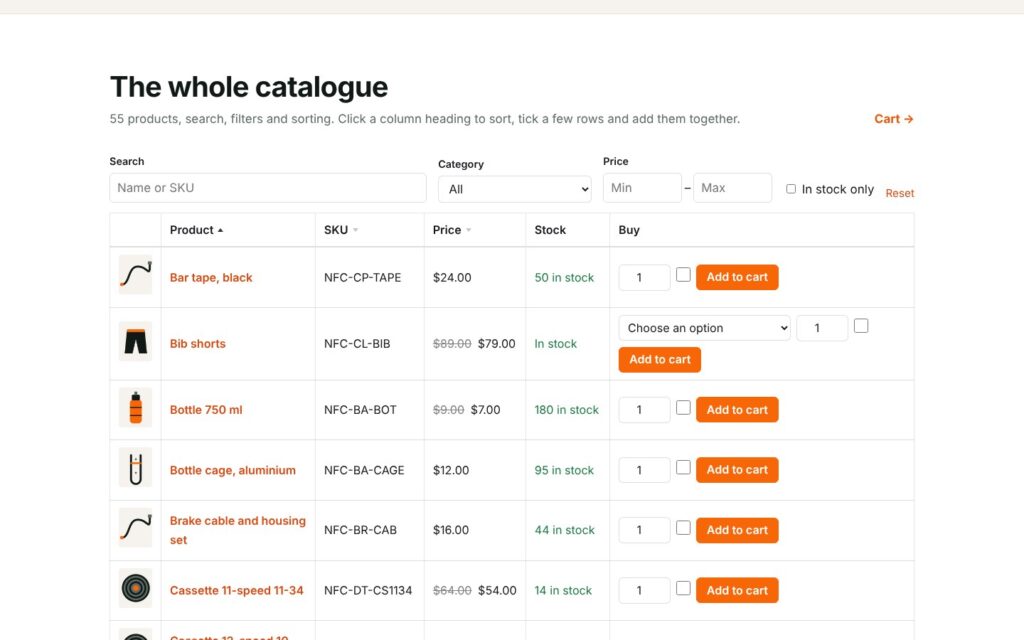
Aluleth Product Table puts your products in a table that customers search, filter and sort, then add to the cart without opening each product. Tick ten rows and add them together, choose a size in the row, or paste a list of SKUs. It suits order forms, wholesale and trade customers, restaurants and take-away menus, spare parts and any shop with many products, on WooCommerce or FluentCart.
See it in action



What you get
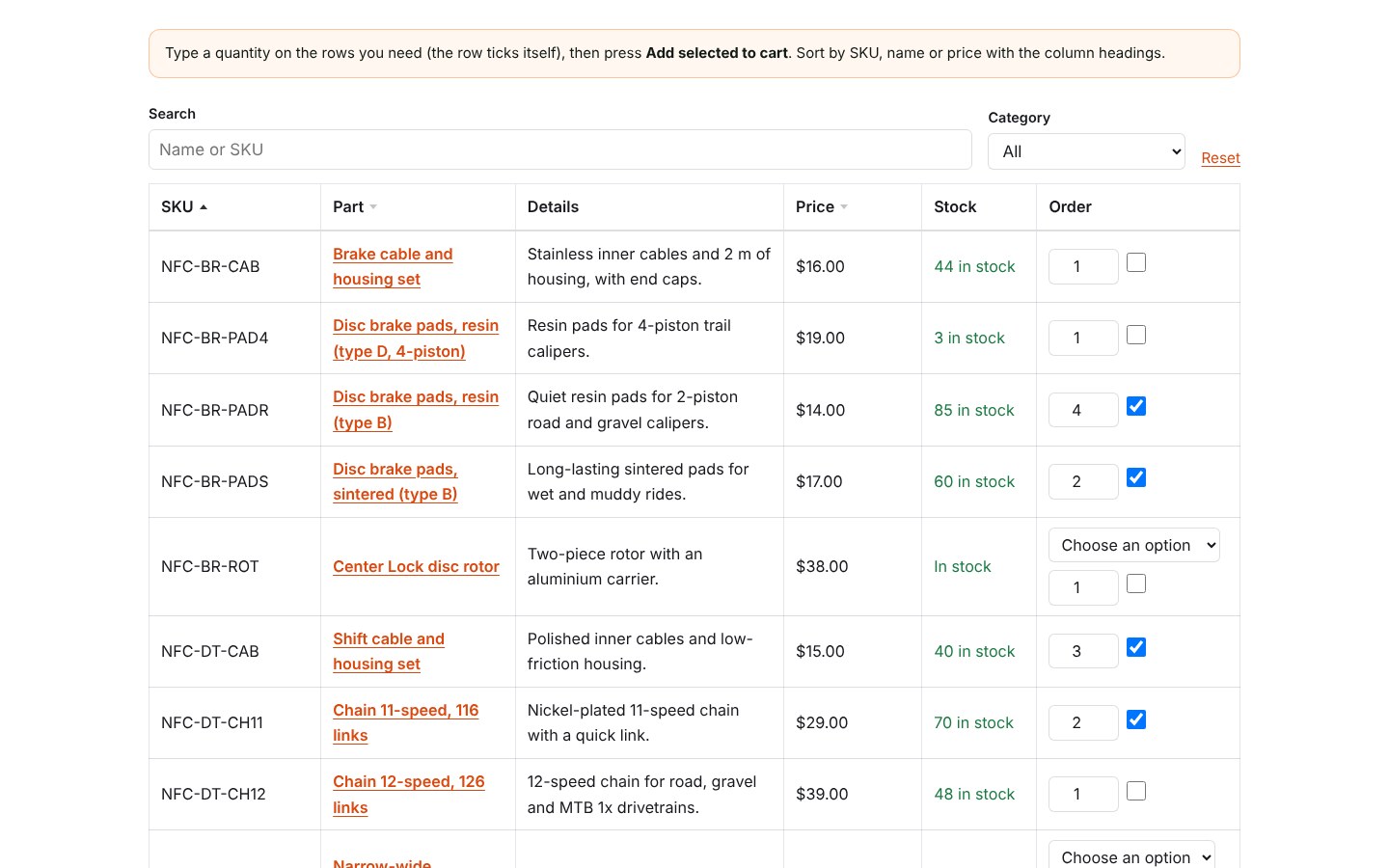
- Tables built in a minute: all products, some categories, tags or brands, a hand-picked list in your order, or what the signed-in customer ordered before (“order again”)
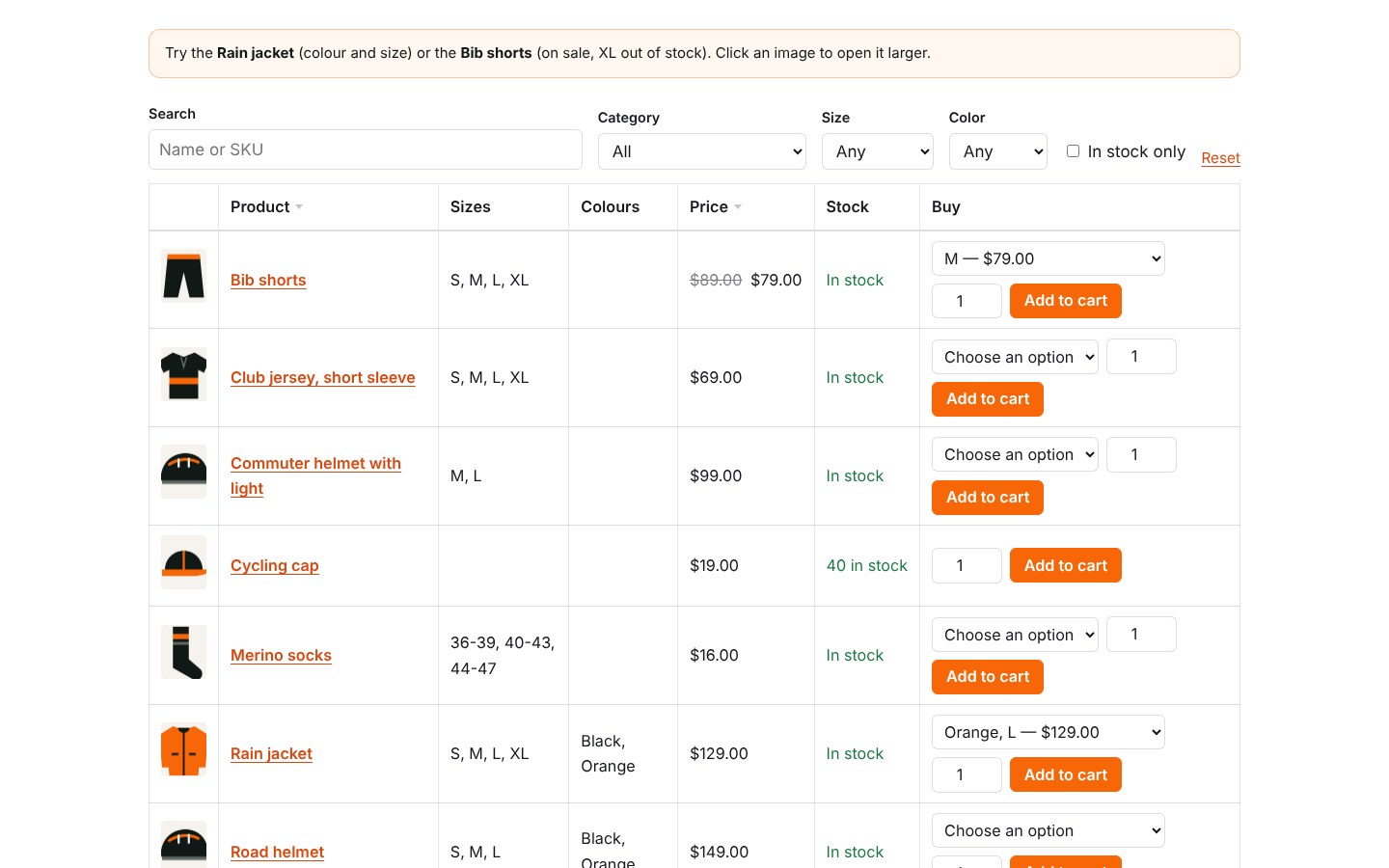
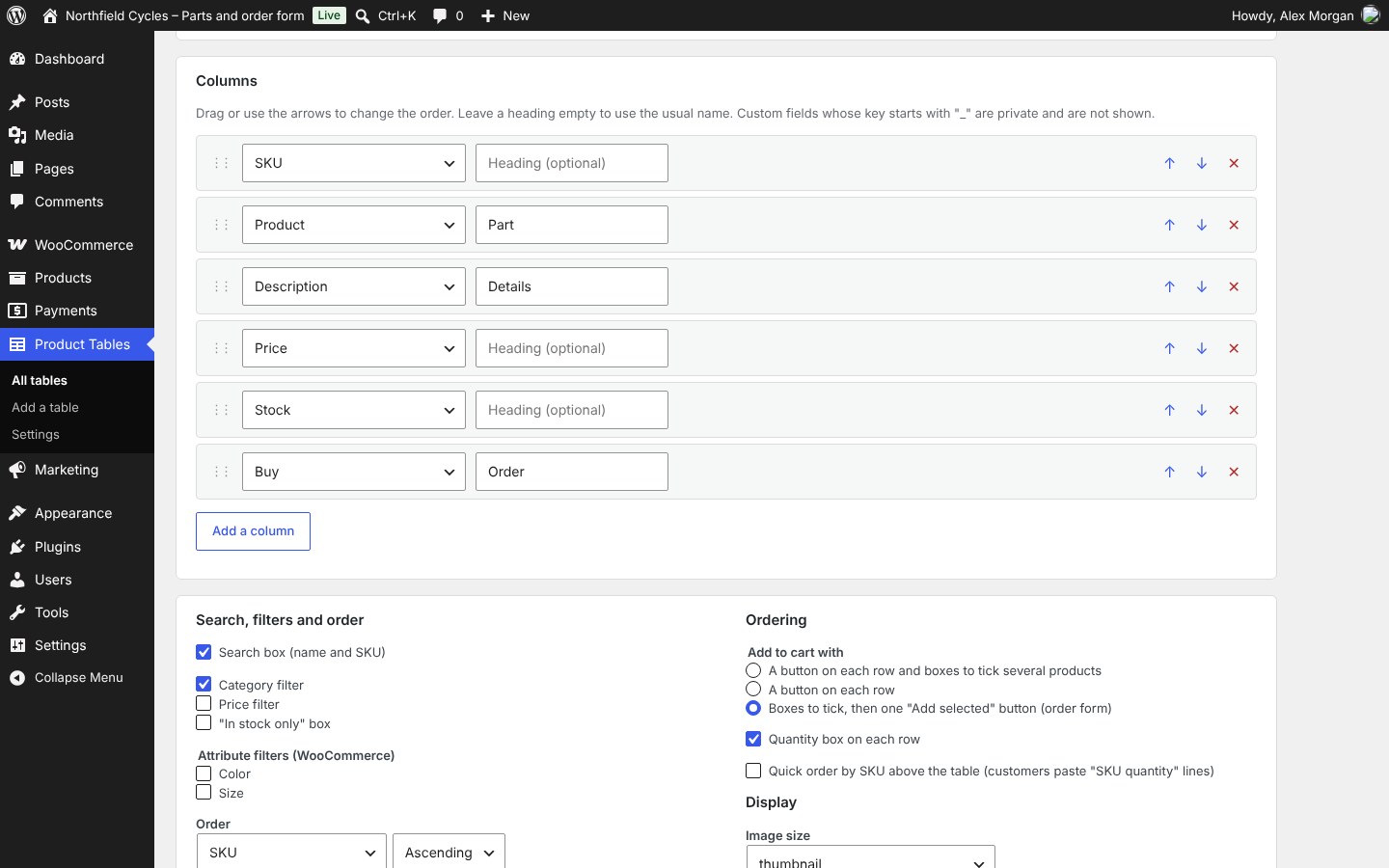
- Columns in any order: image, name, SKU, description, price, stock, categories, tags or brands, attributes, a custom field, weight, dimensions, date, rating and the buy column
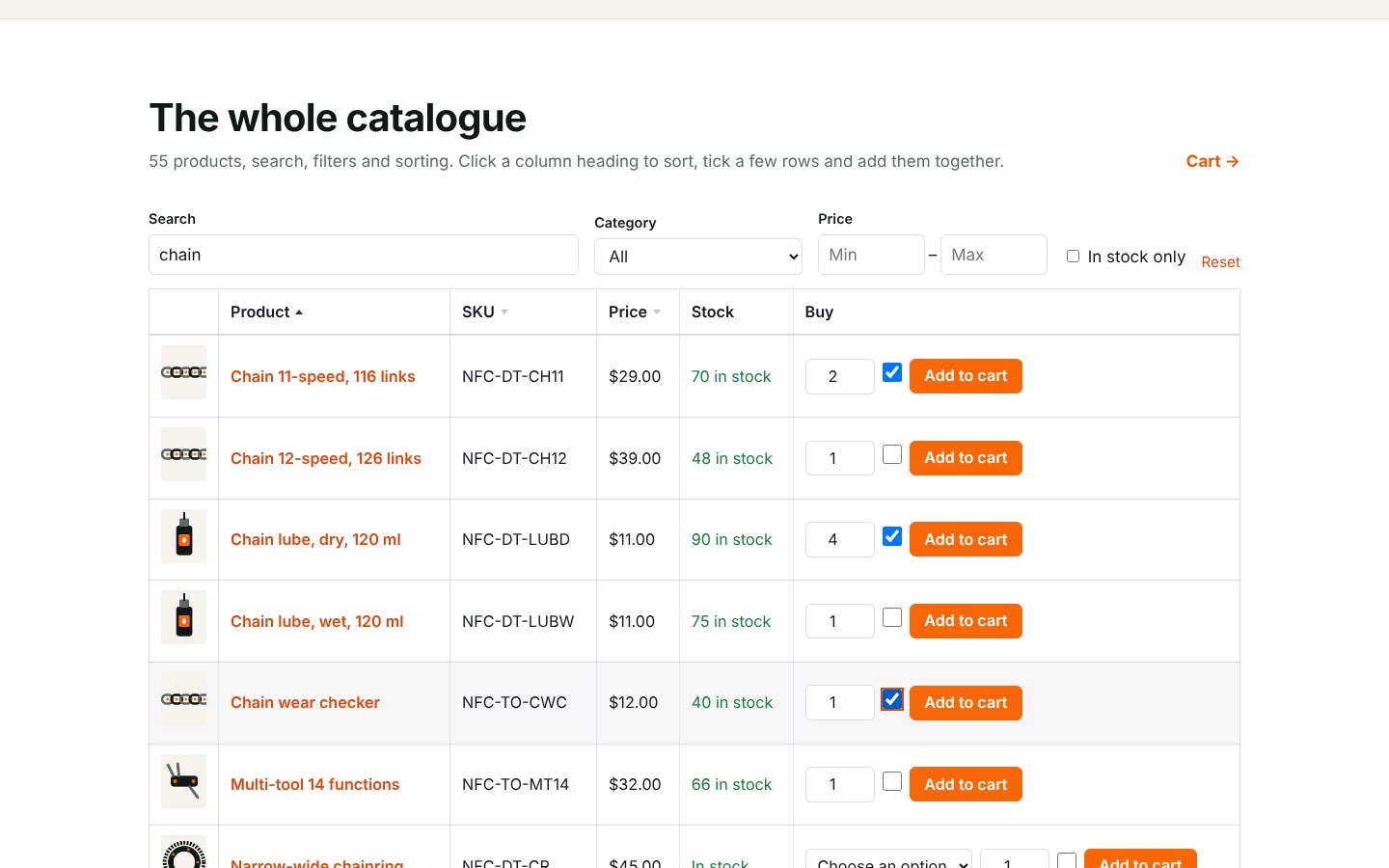
- Search by name or SKU as customers type, filters by category, attributes, price and “in stock only”, sorting by clicking a heading, page links and a link to share the exact view
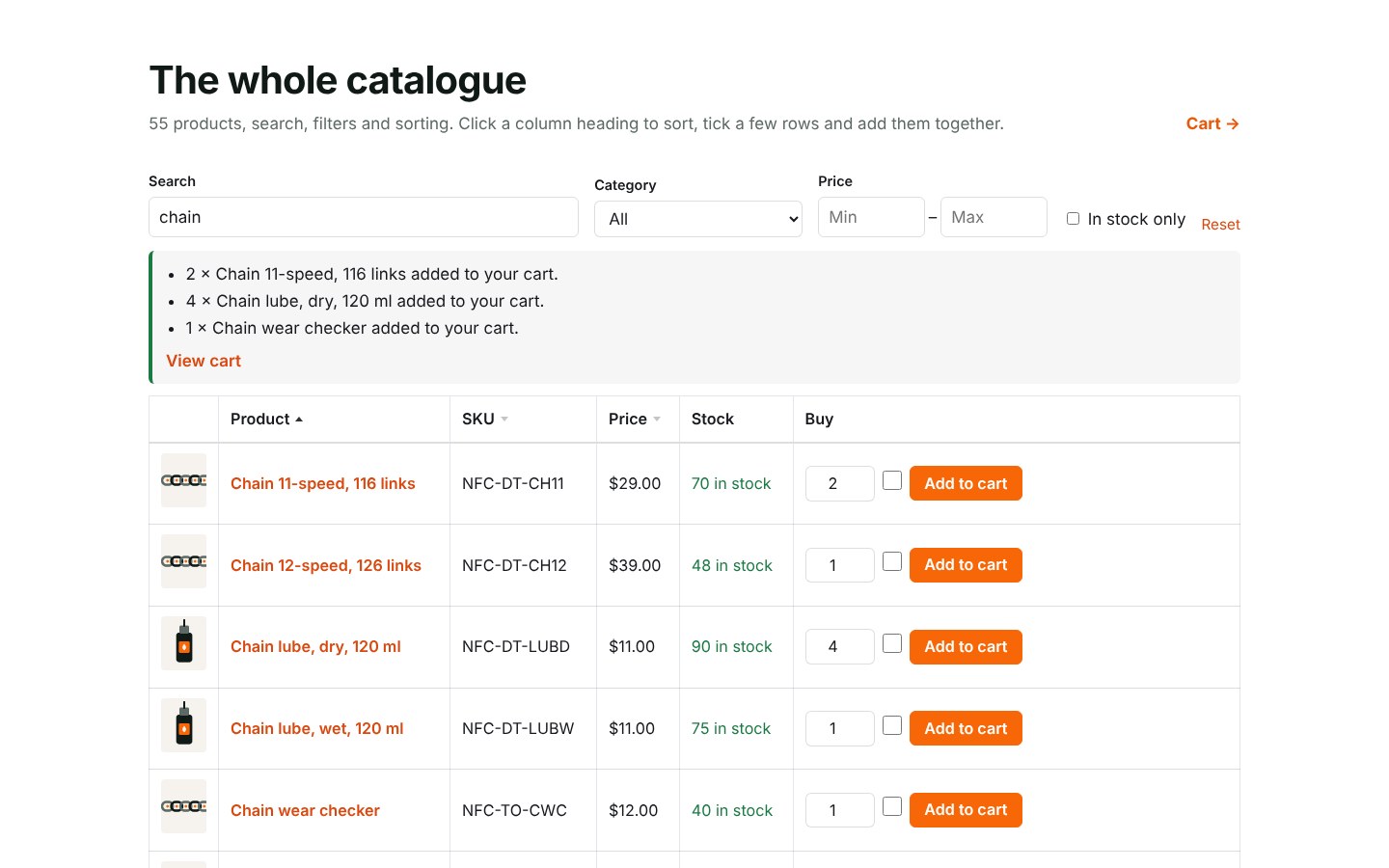
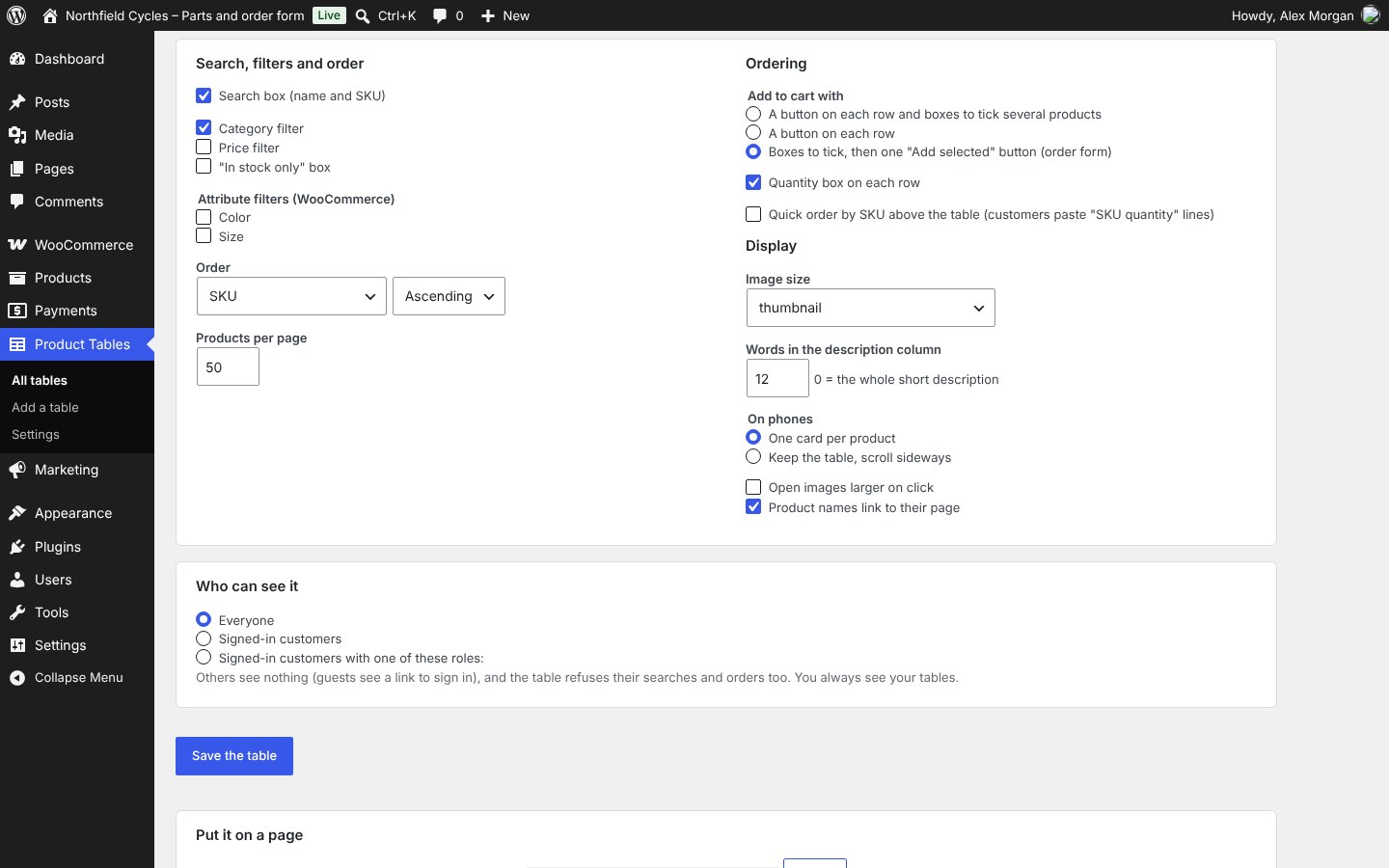
- Ordering your way: a quantity box and a button on each row, boxes to tick and one “Add selected to cart” button, or both
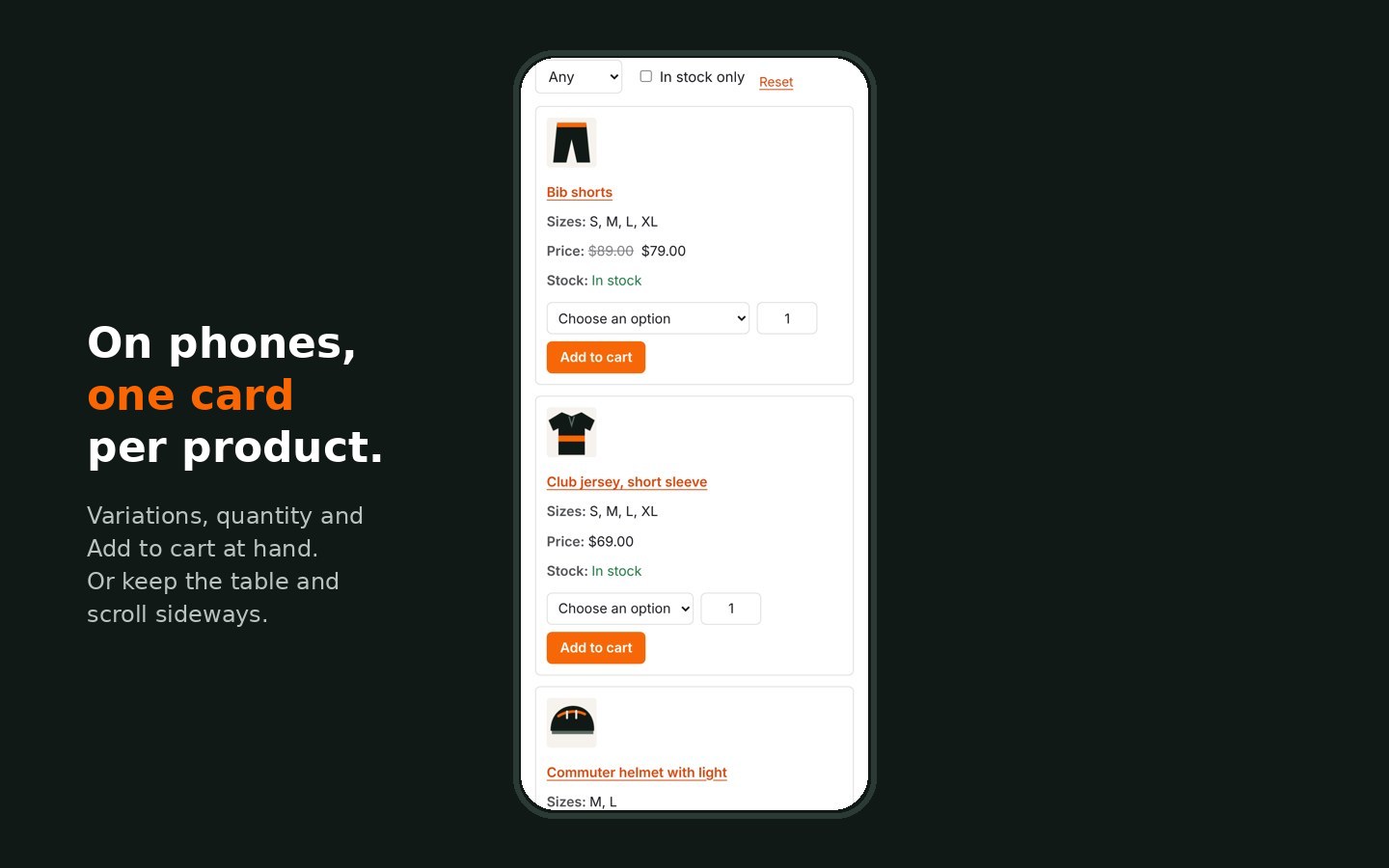
- Variations in the row: the customer picks the size or colour, and the price, stock and quantity limits follow it
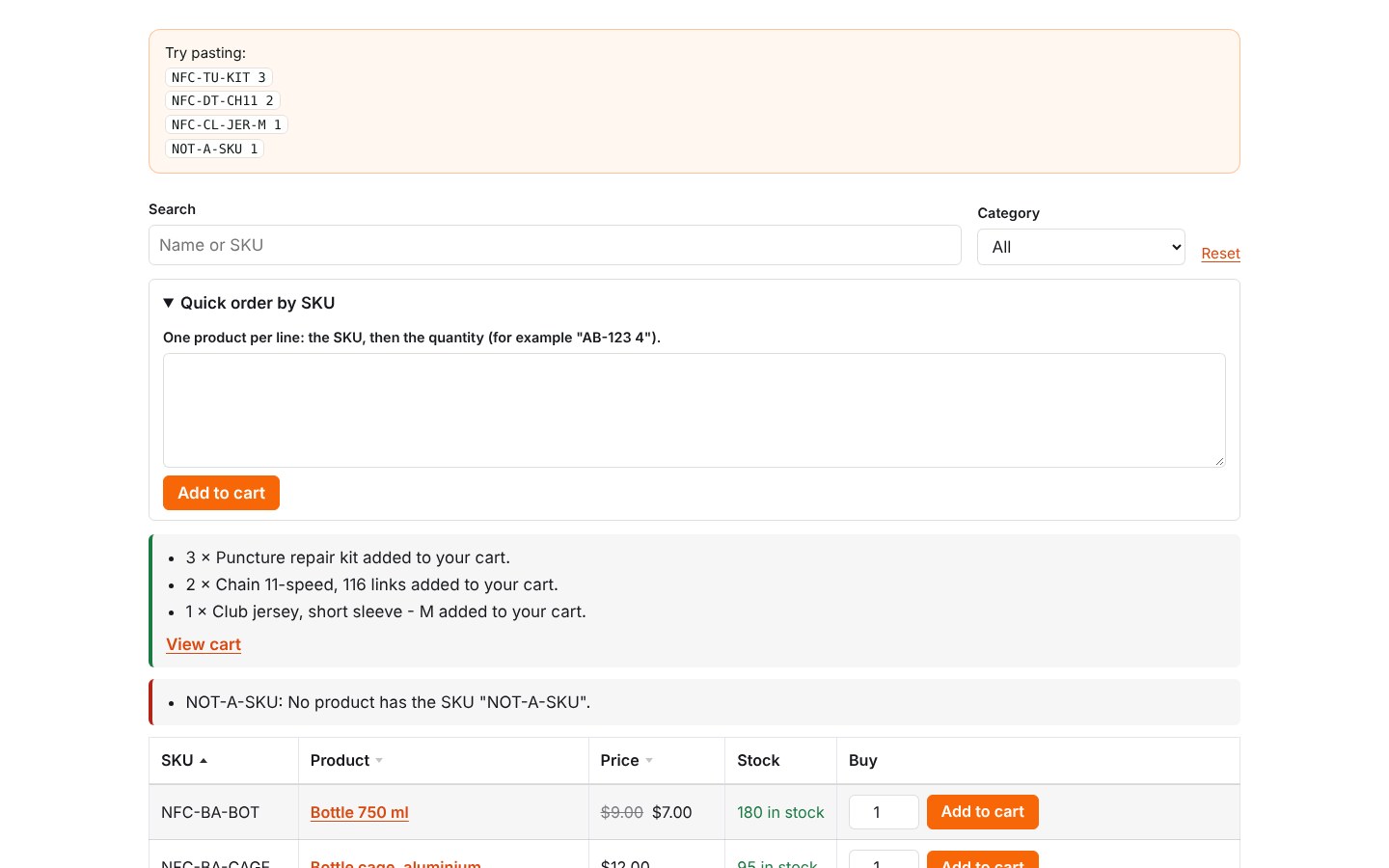
- Quick order by SKU: customers paste lines such as “AB-123 4” and every product goes to the cart at once; unknown SKUs are listed
- Safe when customers click fast: several adds at the same time all reach the cart, and a click sent twice counts once
- “Who can see it”: everyone, signed-in customers, or some roles, for example a wholesale role
- Fast on large catalogues: search, filters and sorting run in the database, one page of products at a time
- On phones each product becomes a card; without JavaScript the table still works; keyboard and screen reader friendly
- The mini cart updates right away, and the store’s own checks apply: stock, quantity limits, sold individually
- A “Product Table” block and a shortcode; several tables on one page
- English, French, Spanish and Filipino included
What you need
- WordPress 6.5 or later and PHP 7.4 or later
- WooCommerce or FluentCart (both can run on the same site)
Upload the zip in Plugins › Add New, activate it and open Product Tables › Add a table. Try it first on the live demo, with its demo admin, and read the online documentation.
Good to know: products that need more than a quantity (external and grouped products, variations with “any” values, products with options from Aluleth Product Options) get a button to their own page instead of being added from the table.
Licences
Single site covers one site. 10 sites covers up to ten, for your own shops or your clients’. Both are a one-time payment and include 12 months of updates and support; after that the plugin keeps working, and you renew only if you want new versions and support. Updates install from your WordPress dashboard once your licence key is added.